Forum Discussion

How to create a measure that dynamically updates
- May 06, 2024
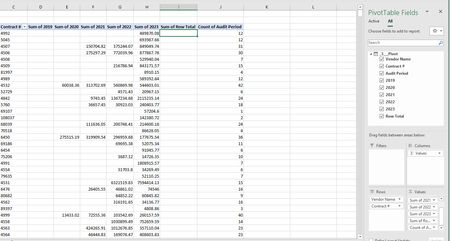
JackFrench11 You asked the same question a few days ago, and the confirmed that you had already pivoted the data in PQ and then built a pivot table on that data. Can't tell why there was no more follow-up in that thread.
But, I suggest you undo the pivoting in PQ so that you have a long list of 'audit events', including one column for the year. Then, a regular pivot table will automatically include columns in case New Years are added to the data. And the Grand Totals will be updates as well. No need for Power Pivot and DAX measures for that.
Regarding the conditional formatting, yes that may be a problem. Can't offer you a neat solution right now.

JackFrench11 You asked the same question a few days ago, and the confirmed that you had already pivoted the data in PQ and then built a pivot table on that data. Can't tell why there was no more follow-up in that thread.
But, I suggest you undo the pivoting in PQ so that you have a long list of 'audit events', including one column for the year. Then, a regular pivot table will automatically include columns in case New Years are added to the data. And the Grand Totals will be updates as well. No need for Power Pivot and DAX measures for that.
Regarding the conditional formatting, yes that may be a problem. Can't offer you a neat solution right now.