Forum Discussion

How To Create a Gauge-Style Doughnut Chart that Includes Negative Numbers & Greater than 100% Values
- Oct 15, 2023
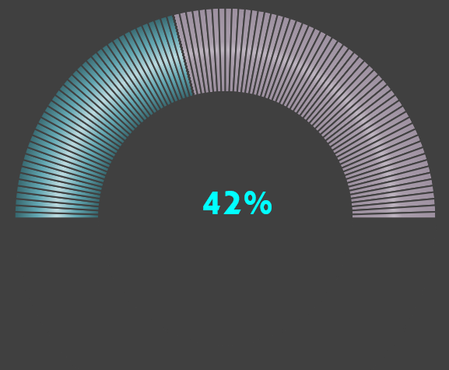
ntlknight Not exactly what you had in mind with regard to the vivid colours, but close. See attached.
The driving force sits out of view below the chart.

ntlknight To be honest, I'm not a big fan of pie- or donut charts and have no real hands-on experience about all the formatting features for background, donut borders and sizes.
With respect to the limitation of plus or minus 100%, I was aware of that but didn't know how likely it would be if an actual would be more than 100% off target. Referring to my original file, change the formula in D5 to:
=IF(C5<0,MAX(-1,C5/C7),MIN(2,C5/C7))
That will set limits the negative and positive scores to not less then -100% and not greater than 200% respectively. Then you'll probably want to change the settings of the data labels to indicate that a capping has been applied.
Coloring negative performance red and positive over-performance green would not work in this setup as both values come from the same slice. And a slice can only have one color, unless you manipulate it with VBA, based on the situation. And that is something I do not get involved in. Sorry.

Not a problem regarding the red color for the negative and green color for the positive slices. Maybe I'll try to figure out how to copy/paste another donut instance on top of this one so that there can be separate slices that can have alternate color editing when applied and set to invisible when not applied.
Best Regards,
Nathan
- Riny_van_EekelenOct 16, 2023Platinum Contributor
ntlknight Why not use conditional formatting with data bars? That takes up a lot less space and doesn't require all these helper formulas. Something like in the picture below. Up to you of course.
- ntlknightOct 16, 2023Copper Contributor
Yes, I do use some conditional formatting with data bars for visually seeing progress. The world of Charts in Excel is a big one and I'm still finding some that inspire more than others and some that work better than others for visually getting a glimpse of what's going on. Until I get the charts on the screen and use them or a month or 2, it's hard to tell which ones are the most useful...and I'm enjoying the gauge/donut style chart as a 2nd or even 3rd visual stimulant to see where the progress is for the day/week/month/year...
- Riny_van_EekelenOct 16, 2023Platinum Contributor
ntlknight That's clear then. Thanks for the feed-back.