Forum Discussion

Anne Heij
Oct 12, 2017Copper Contributor
How to count multiple items?
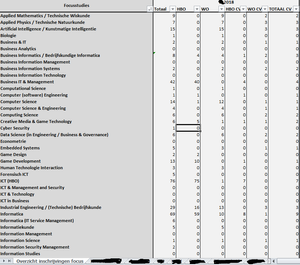
I have a worksheet (see preview) in which I am searching for a specific study in a different tab. The study can be mentioned in column N and column Q. Therefore I am using the formula count.if (=AA...

SergeiBaklan
Oct 12, 2017Diamond Contributor
Hi Anne,
Both ranges shall be the same size. Your first range is from M to Q (4 columns), second one from J to N (5 columns)

Anne Heij
Oct 12, 2017Copper Contributor
No, both have a range of 5 columns.
- SergeiBaklanOct 12, 2017Diamond Contributor
Perhaps something like this
=SUMPRODUCT(
   (OFFSET('IT Talent 2018'!$M$6:$M$1000,0,1,,5)="Cyber Security")*
   (LEFT(OFFSET('IT Talent 2018'!$J$6:$J$1000,0,1,,5),3)="hbo")
)
Formula is in A1 of the attached file not translate manualy into your regional settings, copy/paste it in your file. But i didn't test combinations.
- SergeiBaklanOct 12, 2017Diamond Contributor
Sorry, i was wrong. You have zero, not an error. When it looks like your columns don't match. If, for example, "Cyber Security" is in third column of the first range and "hbo*" is in the same row and also third column of the second range when it'll be counted. If in another column (e.g. in second one) when result will be zero.
Not sure right now how to calculate in latest case, need to play with computer.