Forum Discussion

HenrikKruse
Oct 04, 2023Copper Contributor
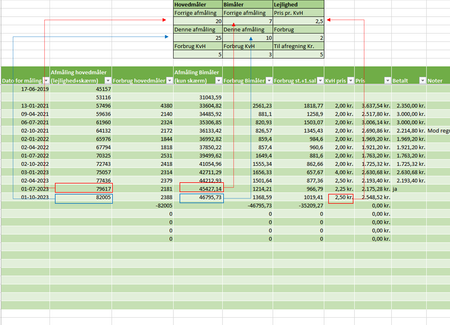
How to bottom and second to bottom automatic send to overview?
I am using a spreadsheet to calculate my electricity consumption and a price every quarter. Once a quarter I have to make a report. I would like it to generate the report automatic. We are sharing t...
 Oct 05, 2023
Assuming your data is sorted, LARGE() should do the trick . You can change 1 to 2 if you want the second one from bottom.
=LARGE(your range, 1)

HenrikKruse
Oct 07, 2023Copper Contributor
It says it is not valid. Even if I just choose from G11 to G40 insted of the Table1.
If it does not work I can live with having to fill one cell manuel, just a bummer when the rest now works so well.
SanthoshKunder
Oct 07, 2023Iron Contributor
My bad. It should be like this. = LARGE(SORT(G11:G40),1)
- HenrikKruseOct 07, 2023Copper Contributor
Thank you for your help 🙂 I still get the same error message, but it is okay.