Forum Discussion

wyse3
Jan 17, 2024Copper Contributor
How to apply separate conditional formatting rules for different Pivot Table Row Label sections
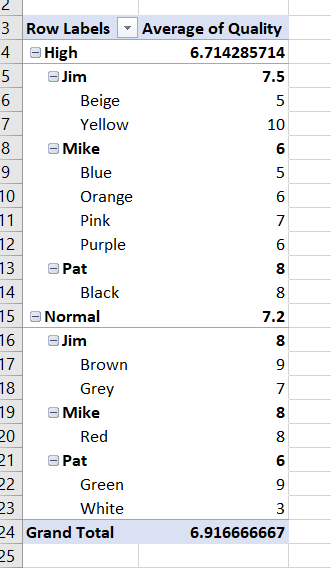
I have a pivot table that has two sections, a High Priority and Normal Priority section that needs different sets of conditional formatting rules, due to the High Priority section having higher stand...

Lorenzo
Jan 17, 2024Silver Contributor
Hi wyse3
There's obviously something to do if you Show in Tabular Form + Repeat item labels for the Priority field;
Cond. Format rules that apply to All cells showing 'Average of Quality' values, with the above setup:
// High priority:
=AND($G3 = "high", $I3 <> "", $J3 < 7)

// Normal priority:
=AND($G3 = "normal", $I3 <> "", $J3 < 6)
the 2nd condition ($I3 <> "") in the above ANDs avoid highlighting numbers on the sub-total rows