Forum Discussion

How can I save a fixed field definition when importing into Excel?
I frequently need to import the same fixed field file into Excel every week.
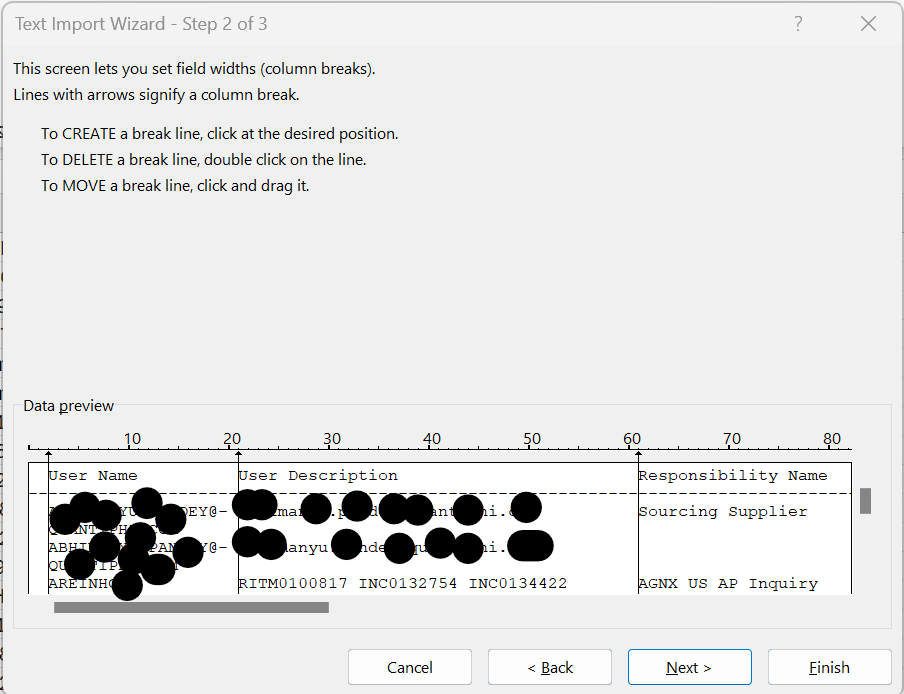
During the Open operation, I'm selecting a text file. I'm presented with a window to select the heading column, the row# where the data starts, and the column breaks.
Where is this definition stored? How can I automatically apply it?
When searching the web, I found several articles that say that the definition is saved in the spreadsheet, but I can't figure out how to apply it. Every time I try to import a new flat file - Excel does not use the existing sheet - it opens a new sheet - so whatever column breaks and data row# exists in the spreadsheet does not in the new one when I chose Open.
Please see attached redacted sample of the dialog I'm talking about.
I understand I can define and save a data source. I was wondering if the import functionary has this capability as well.
Any help would be greatly appreciated.
3 Replies
- LorenzoSilver Contributor
I frequently need to import the same fixed field file into Excel every week
Get & Transform aka Power Query is your friend. Assuming you run >/= 2016 on Windows or 365 on Mac... - Info. recommended in Welcome to your Excel discussion space! as nobody on this community has a crystal ball 🙂
 peiyezhuBronze ContributorRe:the row# where the data starts, and the column breaks.
Data clean by script.
Delete the first row to the row# where the data starts.