Forum Discussion

Getting error when adding Add-ins in Excel
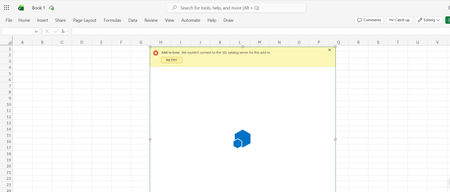

Because every add-in fails in desktop Excel and Excel for the web, this is unlikely to be one add-in’s defect. The literal “{0}” suggests the catalog response is not rendering correctly. Verify Microsoft 365 is signed in with the Personal account and test the add-in store in a private browser window. In desktop Excel, open File > Account > Account Privacy > Manage Settings and enable connected experiences; Office add-ins depend on them. Update Office, Windows, Edge, and WebView2, then restart. Confirm the date, time, and time zone, and test another network to rule out DNS, proxy, firewall, or filtering interference. If the web error persists across devices and networks, check Microsoft service status and return to support with the UTC test time, account type, screenshots, and failing add-in names. An Online Repair is reasonable only for the desktop client; it cannot fix the failure in Excel for the web.