Forum Discussion

davidmaddock54
Jan 26, 2022Brass Contributor
Getting counts from dynamic table to fill a static table
I have attached a basic demo of my question, but can't show all that's going as I'm using MS forms to gather data. In the real spreadsheet the below is being sourced from a Power queried copy of ...
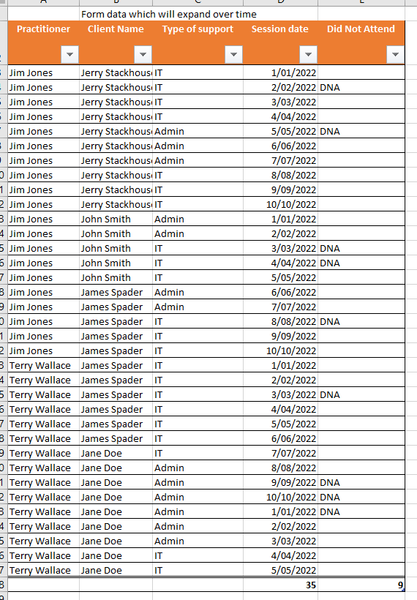

davidmaddock54
Jan 26, 2022Brass Contributor
Ooh, may have found the answer in PQ. Grouping allows for some cool counts. I think it'll solve everything but adding the formula to new names on the master list.

chahine
Jan 26, 2022Iron Contributor
i think best way is to make pivot table for this table, and put the client name in the rows label & then "did not attend" in your values label
if you dont want to use pivot tables, try to use countif function, countif("range(did not attend"),"client name") , hope this helps
if you dont want to use pivot tables, try to use countif function, countif("range(did not attend"),"client name") , hope this helps
- davidmaddock54Jan 27, 2022Brass ContributorI could be overthinking it and missing stuff, but those options don't quite get me what I want. The master table will also get filtered, or put in alphabetic order, so there's no hard cell references to tie too. I have used PQ count to get me a table each for Session and DNA count with the name next 2 it. Trying to think how Index and Match might work using Table references. they always break my brain.
- davidmaddock54Jan 27, 2022Brass ContributorWatched a vid using dget, seemed like the solution, but I keep getting NAME? error. Criteria name is Client_Name in both, can't work out why it might not pick it up.
- davidmaddock54Jan 27, 2022Brass ContributorSo Index and Match is fine. Working now. Doesn't need the last argument. You can all wave if you knew this already. 😉