Forum Discussion

David_Townsend_Jones
Feb 28, 2019Brass Contributor
Freezing multiple rows
I just need to freeze the top 3 rows in a spreadsheet. Easy: select the 4th row, click 'Freeze Panes' and choose the 'Freeze rows' option. Except that the option isn't there - the only option offered...
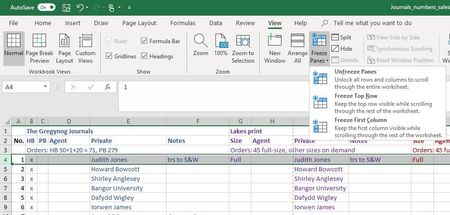
 Feb 28, 2019
Absolutely brilliant. Thank you so much. I've used Excel for more than 20 years and I'm pretty sure this method is new - or, at least, newish. But it's great to find out there really is a way. Thank you for pointing the way.

Riny_van_Eekelen
Feb 26, 2020Platinum Contributor
Just select cell A3 and select Window, Freeze Panes. Then, row 1 and 2 will be frozen but no columns. Has been like that for many years.

brigsby
Feb 27, 2020Copper Contributor
Riny_van_Eekelen I had tried that but somehow it didn't work. But now it does! Thanks so much for confirming that! (this is my first year using Office 365, so adapting to more sophisticated program.)