Forum Discussion

TGG2000
Jul 08, 2022Copper Contributor
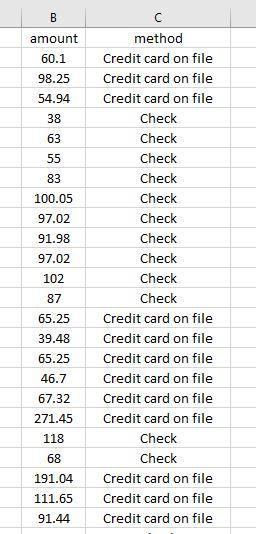
Formula Question concerning Text Cells
Hello, In the attached screenshot, I want to know if there is a formula that will allow me to get the sum for just the amounts that coincide with the text Credit card on file and then the sum for...

HansVogelaar
Jul 08, 2022MVP
You can use
=SUMIF(C2:C100,"Credit card on file",B2:B100)
and
=SUMIF(C2:C100,"Check",B2:B100)
Adjust the ranges as needed.
Alternatively, create a pivot table based on the data, and add the method field to the Rows area and amount to the Values area.

TGG2000
Jul 08, 2022Copper Contributor
Hans, I had part of the formula correct but the ranges were off. Thank you!