Forum Discussion

Formula Help
- Mar 09, 2022
swexcelnurd You can use Riny_van_Eekelen solution which circumvents the whole lookup but if you still want to use a lookup function i have attached your data (copied from your link but the formatting changed a bit) showing that the formula does work. i also added an extra column to give the 'look' of the Age range 5-10, etc..
OR you could use the 2nd column to display the age range "5-10" and hide the first column with the 5, 11, and 17 in it. You could create a formula that would even pull the numbers from your text out, but to me that is just overly complicated for this purpose.
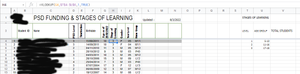
As for why it didn't work for you, i noticed triangles in the age cells. Is it possible those were entered as TEXT instead of numbers? if not those, is it possible the Age column was entered as text? otherwise I'm not sure.


Thanks so much for the promp reply mtarler
I have done that and seem to still have the same problem
I am using Excel 365

create a copy and then erase the identifying information then post it
- swexcelnurdMar 09, 2022Copper Contributorhttps://docs.google.com/spreadsheets/d/e/2PACX-1vR6bcLsIoni07XenbCA8kb7fBPb3sxAgL8aJ43su-iLPU7OBMed1puGPcCqD72f63rkpJTGBt4Ssinz/pubhtml
- swexcelnurdMar 09, 2022Copper Contributor
https://docs.google.com/spreadsheets/d/e/2PACX-1vR6bcLsIoni07XenbCA8kb7fBPb3sxAgL8aJ43su-iLPU7OBMed1puGPcCqD72f63rkpJTGBt4Ssinz/pubhtml?gid=0&single=true
- swexcelnurdMar 09, 2022Copper Contributorthe age groups for A4-A6 really needs to say 5-10, 11-16 & 17-18
- Riny_van_EekelenMar 09, 2022Platinum Contributor
swexcelnurd You can leave the labels in A4:A6 as they are. Try the following formula. It hard-codes the age groups lower boundaries and levels. But since you only have three of such, that's not a big issue.
=LOOKUP(K4,{5,11,17},{1,2,3})
