Forum Discussion

formula for managing products for website store
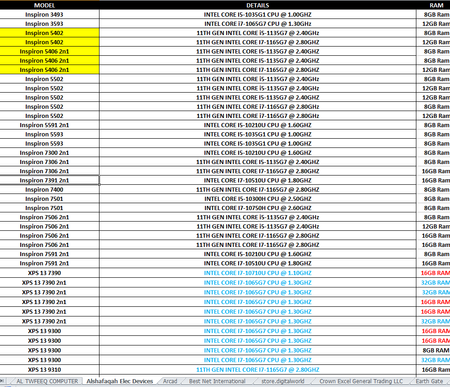
- Apr 04, 2021
First, that is not a "sample of [your] worksheet"-- it's just an image. We'd be better able to hep if you attach an actual copy of the workbook or at the very least a couple of the worksheets. Not images.
Second: some questions for you
- what computer system are you on. I suspect that something like Power Query may be the solution--and I can't help with that, because it's not on Macs, which is my operating system--but others could.
- How new is your Excel? The most current version has some powerful functions that could help as well. FILTER, as one example.
- How dynamic are the data arrays on your sheets? If they're fairly static (e.g., changing only monthly), I would solve it myself--in the absence of Power Query--by combining all those different sources into a single Database, which is a lot easier to search using criteria such as you seem to be seeking. Power Query will do that combining for you, but it you too are on an Apple computer you might want to consider creating a single database rather than having separate ones.

First, that is not a "sample of [your] worksheet"-- it's just an image. We'd be better able to hep if you attach an actual copy of the workbook or at the very least a couple of the worksheets. Not images.
Second: some questions for you
- what computer system are you on. I suspect that something like Power Query may be the solution--and I can't help with that, because it's not on Macs, which is my operating system--but others could.
- How new is your Excel? The most current version has some powerful functions that could help as well. FILTER, as one example.
- How dynamic are the data arrays on your sheets? If they're fairly static (e.g., changing only monthly), I would solve it myself--in the absence of Power Query--by combining all those different sources into a single Database, which is a lot easier to search using criteria such as you seem to be seeking. Power Query will do that combining for you, but it you too are on an Apple computer you might want to consider creating a single database rather than having separate ones.
 BaBaCommmerceApr 04, 2021Copper Contributor
mathetes thanks for your reply please find the list and the I am working on windows 10
- mathetesApr 04, 2021Gold Contributor
You are a person of few words.
One of the first problems you're going to need to address is that of getting more consistency between the various lists. My quick review suggests that sheets 1, 2 and 7 provide the most helpful formats. Pick one of those and make it the "standard" and then reorganize the others--to the extent possible--so the columns contain comparable and consistent data.
As it is, I have a hard time figuring out how even Power Query could work--it needs some kind of consistent "key" or "identifier" on each table for each kind of device; right now you don't have that. (For example, look at how Lenovo devices are identified and described on your sheet 1 and your sheet 7. And that does no more than scratch the surface.)
You've heard, I presume, the old computer adage, "GIGO"?
"Garbage in, garbage out."
It's an unkind description, but it basically is saying that if your data is full of glaring inconsistencies, you're not going to be able to work effectively with it.
 ShadabkhanJan 23, 2023Copper ContributorSamsung M10