Forum Discussion

eashwarbalaji04
Aug 28, 2024Copper Contributor
Formating a cell in Excel based on multiple conditions
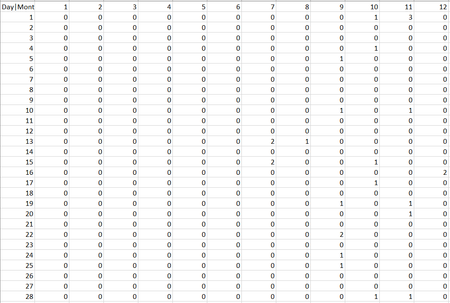
Social Media Posts Analysis: I have a tabular columns on excel with days (1-31) in columns and the months (1-12) in rows, which looks like this: The data to this feeds from another shee...

Rodrigo_
Aug 28, 2024Steel Contributor
Hello eashwarbalaji04
I have 2 suggestions,
1. Since we're counting how many shared posts ('Post Number') posted on given dates. It can easily count using a PivotTable based on Sheet 2.
for conditional formatting:
2. Using your original set-up on Sheet 1, instead of showing count numbers of Post Number, can it also show the 'Post Number'? like this:
array formula: =IFERROR(TEXTJOIN(", ", TRUE, IF((Sheet2!$C$2:$C$100=Sheet1!$A$1) * (Sheet2!$D$2:$D$100=B$1) * (Sheet2!$E$2:$E$100=$A2), Sheet2!$A$2:$A$100, "")), "")
yellow conditional formatting (using formula):
=IF(LEN(B2) - LEN(SUBSTITUTE(B2, ",", "")) + 1 >= 2, TRUE, FALSE)
green:
=IF(LEN(B2) - LEN(SUBSTITUTE(B2, ",", "")) + 1 >= 3, TRUE, FALSE)
here's the sample file > eashwarbalaji04.xlsx