Forum Discussion

tfmeier
Oct 13, 2020Copper Contributor
Flag specific date records via Power Query
I have eagerly adopted Power Query as a new way of interacting with data as it is so much easier. However I've run into a challenge and was hoping to get some guidance here. Referring to the ...
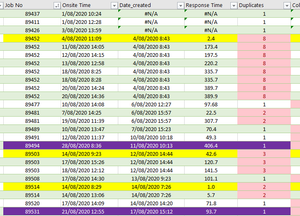
- Oct 15, 2020
tfmeier Played around with your files a bit and revised parts of the queries to arrive at a table "Merge1". Hopefully, it helps you exploring PQ further. You will notice that merging queries (the correct way) eliminates the need for VLOOKUP outside the PQ tables.
Just point the source for each of the queries to the files on your own system and you should be able to see the end result and follow through all the steps.


Davidm54
Mar 30, 2021Brass Contributor
I'll piggy back on this discussion because it's touching on the date format that is causing me issues.
I have date columns that are defaulting to show Date and time as well, and even if I change format, they are still showing date and time for a lot formula and conditional formatting purposes. The workbook I am working on is designed to check a current month report vs the previous month's report, and highlight what needs to be updated in our client database.
Having the time included with the date created an issue with a couple of cells because it looks like the same date had the time rounded up in one and rounded down in another 5 decimals in. "Set accuracy to displayed" solved that formula issue, but I also want to use conditional (unique) to highlight changes. That still picks up the difference. (it's basically .545555 vs .545556) I cannot see a way to solve this.
Any advice appreciated.
I have date columns that are defaulting to show Date and time as well, and even if I change format, they are still showing date and time for a lot formula and conditional formatting purposes. The workbook I am working on is designed to check a current month report vs the previous month's report, and highlight what needs to be updated in our client database.
Having the time included with the date created an issue with a couple of cells because it looks like the same date had the time rounded up in one and rounded down in another 5 decimals in. "Set accuracy to displayed" solved that formula issue, but I also want to use conditional (unique) to highlight changes. That still picks up the difference. (it's basically .545555 vs .545556) I cannot see a way to solve this.
Any advice appreciated.
Davidm54
Mar 31, 2021Brass Contributor
(Update: Set accuracy to displayed actually worked, it just didn't update immediately.)