Forum Discussion

Flag specific date records via Power Query
- Oct 15, 2020
tfmeier Played around with your files a bit and revised parts of the queries to arrive at a table "Merge1". Hopefully, it helps you exploring PQ further. You will notice that merging queries (the correct way) eliminates the need for VLOOKUP outside the PQ tables.
Just point the source for each of the queries to the files on your own system and you should be able to see the end result and follow through all the steps.

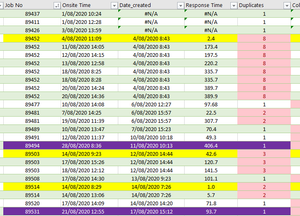
tfmeier You mention to have a table with three columns in your screenshot. But, in fact, at least (parts of) seven columns are visible. Not clear if only the three you mention are loaded by PQ and that the others are just added outside PQ. Would be helpful tif you could upload (part of) your workbook, without confidential information, including the query that you have created. Shouldn't be too difficult to filter out the earliest occurrence of a service call. But, it will be difficult without real data to play with.