Forum Discussion

Fill Handle in Excel

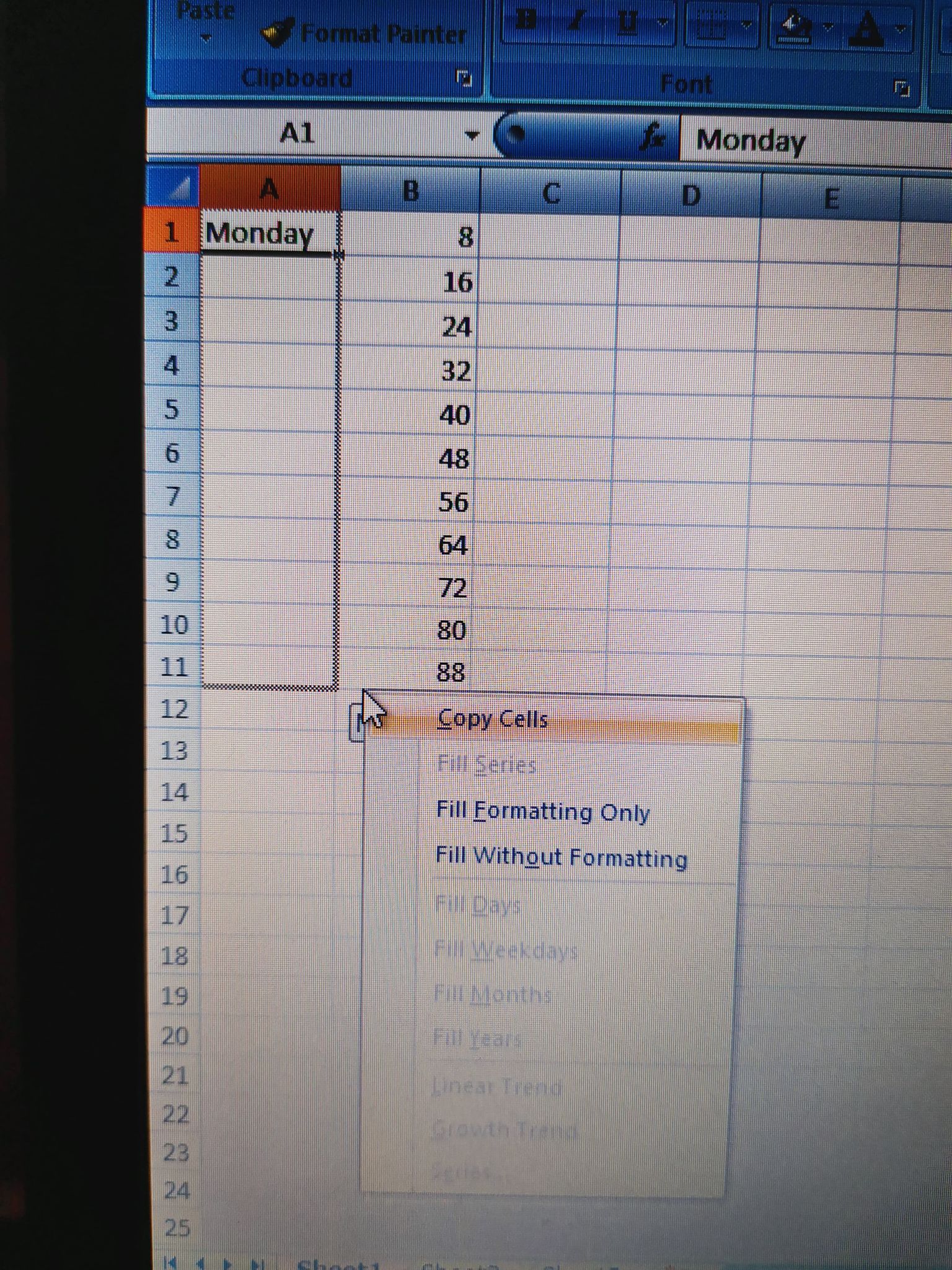
mathetesI'm dragging the fill handle down both ways left/right click and it does nothing but copy

Pretty sure it was available to Excel 2007. Still worthwhile to update your Excel if you are able to. There are many new and useful functions.
I'm afraid I'm out of diagnostic questions. It sounds as if something is set incorrectly in the FILL options, but I can't look over your shoulder. I will say that the default settings should be sufficient. I'd never even looked at that menu item until you mentioned it; the default settings have always functioned as desired. So you may have inadvertently set things to copy rather than fill. I emphasize, though, that that is nothing but a guess.
- giota12345Jan 22, 2021Copper Contributor
mathetesI found it!!!! In my program, days and months are in Greek... So I went in Excel options, popular, edit custom lists, and import my new English list.
- giota12345Jan 22, 2021Copper Contributor
mathetesI understand.. I will search the settings better then.. Otherwise I will update it. Thank you very much for your time and effort.
- mtarlerJan 22, 2021Silver Contributor
giota12345 just as a diagnostic check did you fill the cells in col. B using the fill handle? if not, maybe confirm the fill handle works on basic numbers.
It sounds like you are just trying things out but you could create/use a formula to do the "same" thing. This formula is based on the ROW() it is in and just fill down:
=TEXT(ROW()+1,"DDDD")- giota12345Jan 22, 2021Copper Contributor
mtarlerYou are not going to believe what was the problem... my days and months list is in Greek.. and fill handle options were for Greek words, so I imported new lists in English. Thank you any way ; )