Forum Discussion

Fill Handle in Excel


Are you hoping the days will be filled as Monday, Tuesday, Wednesday...?
If so, fill the first two cells with Monday, Tuesday....and then drag the fill handle down. You have to give a hint as to what the progression is that you're expecting.

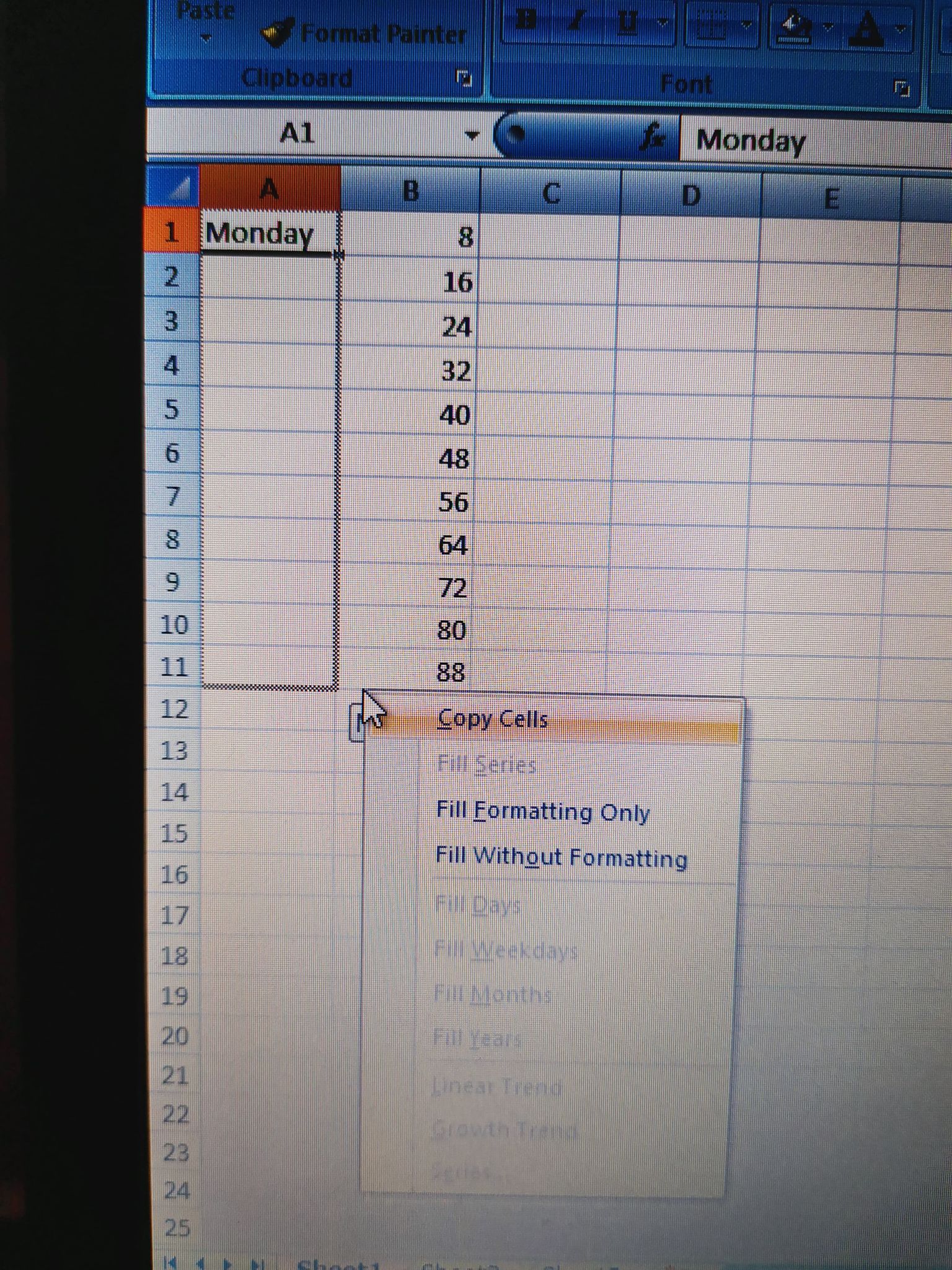
mathetes Yes I did it and copied Monday Tuesday.. the options fill day, month etc are disable as you can see in my attachments .

- mathetesJan 21, 2021Gold Contributor
I think somehow we're mis-communicating. Are you copying or dragging the fill handle down? What did the numbers in column B represent, in your first images? Are they in any way related to the names of the days desired?
- giota12345Jan 22, 2021Copper Contributor
mathetesI'm dragging the fill handle down both ways left/right click and it does nothing but copy
- mathetesJan 22, 2021Gold Contributor
Pretty sure it was available to Excel 2007. Still worthwhile to update your Excel if you are able to. There are many new and useful functions.
I'm afraid I'm out of diagnostic questions. It sounds as if something is set incorrectly in the FILL options, but I can't look over your shoulder. I will say that the default settings should be sufficient. I'd never even looked at that menu item until you mentioned it; the default settings have always functioned as desired. So you may have inadvertently set things to copy rather than fill. I emphasize, though, that that is nothing but a guess.
- giota12345Jan 22, 2021Copper Contributor
mathetesI'm sorry if I wasn't clear enough. I am a beginner and do some practice with fill handle. The column B is irrelevant to column A. In column B I wanted to fill series on number 8 added 8, and it was ok, I hadn't any problem. In column A I am trying to fill the days and doesn't work, only copy. Maybe is not available in Excel 2007.