Forum Discussion

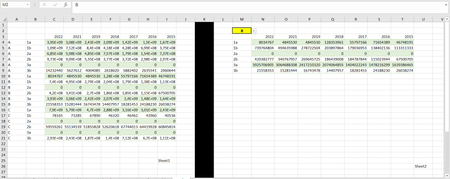
fetch the rows that match the searched value
- Oct 23, 2022
If you have Microsoft 365 of Office 2021, you can use
=FILTER(Combined_tblFinancials[[itemCode]:[itemDescTr]],Combined_tblFinancials[Symbol]=A1)
If you use comma as decimal separator:
=FILTER(Combined_tblFinancials[[itemCode]:[itemDescTr]];Combined_tblFinancials[Symbol]=A1)
See the attached workbook.

Unfortunately I tried what you said but it didn't work, I think it doesn't happen because I want to do it on a separate page.
I have attached my sample excel file.

If you have Microsoft 365 of Office 2021, you can use
=FILTER(Combined_tblFinancials[[itemCode]:[itemDescTr]],Combined_tblFinancials[Symbol]=A1)
If you use comma as decimal separator:
=FILTER(Combined_tblFinancials[[itemCode]:[itemDescTr]];Combined_tblFinancials[Symbol]=A1)
See the attached workbook.
- deniztopcuOct 23, 2022Brass Contributorthank you for your answers.
my problem is solved.