Forum Discussion

KIMTI null
Dec 13, 2023Copper Contributor
Extract data based on date range
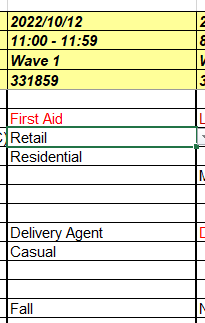
I have the datasheet with each data set recorded in the columns (not rows). This data sheet has multiple years (recorded by the date). I need to extract the data (specific rows) to another sheet by t...

KIMTI null
Dec 14, 2023Copper Contributor
Thank you, It worked perfect.
KIMTI null
Dec 14, 2023Copper Contributor
Sorry, I noticed that the start of new data followed the start of date range, but it did not stop the data on new sheet at the date ranged as specified specified. Data is copied all the to the end of the date in sheet 1.
- KIMTI nullDec 14, 2023Copper ContributorThank you. All is good now.
- mtarlerDec 14, 2023Silver Contributoroh my bad try this:
=TOCOL(FILTER(CHOOSEROWS('2.Know'!A1:ZZ100,3,6,8,18), ('2.Know'!A3:ZZ3>=$B$1)*( '2.Know'!A3:ZZ3<=$C$1), ""),,TRUE)
