Forum Discussion

SVS1989
Jun 27, 2024Copper Contributor
Excel: SUM and SUMIF
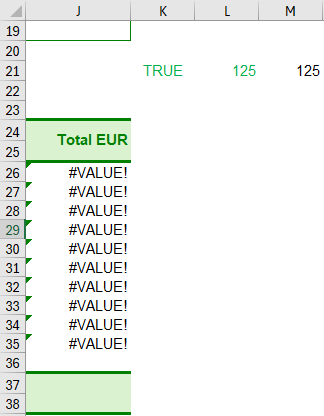
Hi all, I am preparing an excel file and I have an issue with the SUM formula. In the file, I added a checkbox that will give 0 if FALSE (not ticked) or 125 is TRUE (ticked). For this I used ...
- Jun 28, 2024
SVS1989 As mentioned, you need to get rid of the #VALUE! errors. Then your formula works, although it can be simplified as shown in the pictures I uploaded. See attached.

SVS1989
Jun 28, 2024Copper Contributor
This is the link to the file: https://1drv.ms/x/s!Ao3vdZZCM5g3igVKHaTEg0HYdE2x?e=3FgJKv

Riny_van_Eekelen
Jun 28, 2024Platinum Contributor
SVS1989 As mentioned, you need to get rid of the #VALUE! errors. Then your formula works, although it can be simplified as shown in the pictures I uploaded. See attached.
- SVS1989Jun 28, 2024Copper ContributorThank you both.
This form is an order guide that I want to share with clients in order to receive their orders.
This means that I cannot choose myself the items in order to make the price appear and solve the VALUE! error. And I want them to have enough lines to select as many items as they want, however I believe they will use maybe 3-5 lines only.
Is there a way to replace the VALUE! with a 0 while keeping the respective forumlas, please?- Riny_van_EekelenJun 28, 2024Platinum Contributor
SVS1989 download the file I attached in my previous post. All errors are gone by using IFERROR.
- SVS1989Jun 28, 2024Copper ContributorThank you very much!