Forum Discussion

SVS1989
Jun 27, 2024Copper Contributor
Excel: SUM and SUMIF
Hi all, I am preparing an excel file and I have an issue with the SUM formula. In the file, I added a checkbox that will give 0 if FALSE (not ticked) or 125 is TRUE (ticked). For this I used ...
- Jun 28, 2024
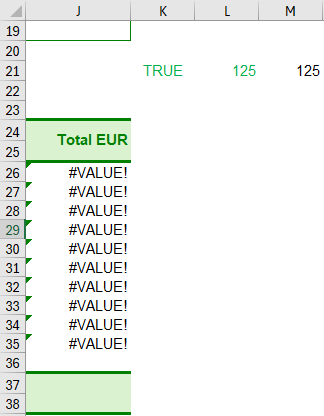
SVS1989 As mentioned, you need to get rid of the #VALUE! errors. Then your formula works, although it can be simplified as shown in the pictures I uploaded. See attached.

Riny_van_Eekelen
Jun 28, 2024Platinum Contributor
SVS1989 Why so difficult?
L21 can be =K21*M21
J37 would then be =SUM(J26:J35)+L21
Or, if you want do it all-in-one without using L21:
=SUM(J26:J35)+K21*M21
And obviously, you have to fix the #VALUE! errors in the sum_range. Otherwise the SUM will also return #VALUE!. No matter what formula you put in J37.
Checkbox: TRUE
Checkbox: FALSE