Forum Discussion

DavinAinebyona
Mar 01, 2023Copper Contributor
Excel Project Gantt Chart: Adding Milestone Diamond
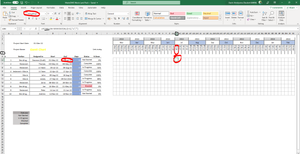
Hello, I am trying to put a diamond shape in my excel project from: https://www.youtube.com/watch?v=tuQpGzL_14g&t=2s On 9:21. Can someone please help me why this is not working? ↓
- Mar 09, 2023
I have received the workbook. The problem was not in the character, but in the formula.
The formula in J6 should be
=IF(J$4=$E6-WEEKDAY($E6,13)+7,"u","")
with the font set to Wingdings. Fill to the right and down. See the attached version.

lisapeek
Jun 10, 2024Copper Contributor
It doesn't really matter, I just made it on a Friday so set it up like that. I just noticed when I changed my dates to Mondays it works. How frustrating!
For learning purposes, what is the correct formula for weeks beginning on Fridays?
For learning purposes, what is the correct formula for weeks beginning on Fridays?

HansVogelaar
Jun 10, 2024MVP
For weeks beginning on Friday:
Select H6:BT52. H6 should be the active cell in the selection.
Enter the formula
=IF(H$3=($D6-WEEKDAY($D6,15)+1),"u","")
and confirm it by pressing Ctrl+Enter.
- HansVogelaarJun 10, 2024MVP
See info about the WEEKDAY function
- lisapeekJun 10, 2024Copper ContributorThanks so much for your help!
I also got it to work by entering =IF(H$3=($D6-WEEKDAY($D6,2)+5),"u",""). I am still learning a lot about this type of formula and am having trouble making sense of what the 2 (or 15 in your formula) does, as well as the "+" numbers.