Forum Discussion

Mads--980
May 04, 2022Copper Contributor
Excel pivot table field list search bar
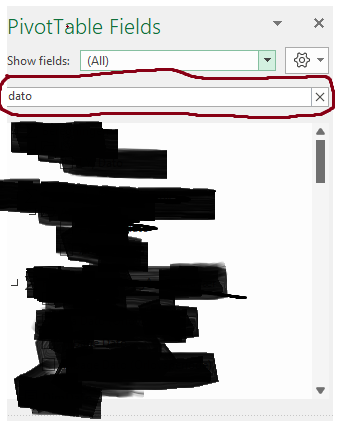
Hi all I am new to this community (and excel) so i hope i am doing this correctly I have an issue with the pivot table fields list search bar (marked in red on picture below). When i search for ...

Martin_Weiss
May 05, 2022Bronze Contributor
Hi Mads--980
what you describe is just the normal Excel behaviour. As soon as you type in a new word in the search field, the old search disappears. There is no setting to switch this off.
But for your example, when you search for "date", it will also give all the fields like "date year", "date month", "date day", so you could select all the required fields directly from these search results.
Or did I misunderstand you?

Mads--980
May 05, 2022Copper Contributor
Hi Martin, thanks a lot for the response.
You did misunderstand a little bit.
The issue is that when i type in a word in the search bar, and select a field, the search i had made resets.
So if i type in "date" in the search bar, and select a field, the search i had made resets, and therefore no longer only shows fields with the word "date" in them. So every time i select a field i have to write "date" in the search bar again.
Hope this makes more sense
again, thanks for the response
You did misunderstand a little bit.
The issue is that when i type in a word in the search bar, and select a field, the search i had made resets.
So if i type in "date" in the search bar, and select a field, the search i had made resets, and therefore no longer only shows fields with the word "date" in them. So every time i select a field i have to write "date" in the search bar again.
Hope this makes more sense
again, thanks for the response