Forum Discussion

GSAInsp
Nov 08, 2021Copper Contributor
Excel Pivot Table & XLOOKUP
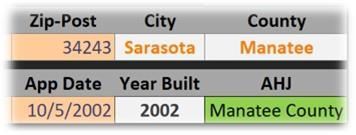
I have an Excel (Office 365 for Business & Windows 11) file that utilizes a XLOOKUP based on a postal code to populate the city and county fields. From there I have a separate “Data Validation” Li...
- Nov 08, 2021
GSAInsp I looked at it again and made your workbook more transparent. Hiding columns, colouring cells drastically is something that stresses me out. Sorry. So, when you say "FILTER is my weak point" do you mean that you don't understand how to use the FILTER function or that you don't have the FILTER function?
In case it's the first option, the attached file links the dropdown to a dynamic FILTER range, rather than to the output of a pivot table. Hopefully it works for you.

Riny_van_Eekelen
Nov 08, 2021Platinum Contributor
GSAInsp Could you upload a workbook? The pictures alone aren't very meaningful.