Forum Discussion

groverjr
Mar 28, 2023Copper Contributor
Excel Open issues
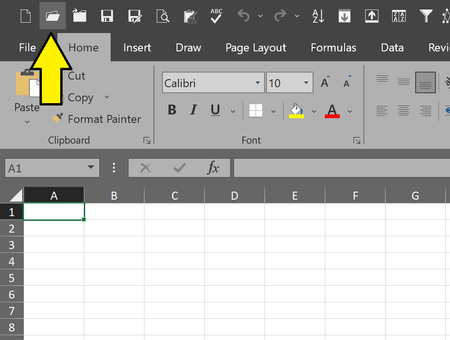
Something odd happened in my Excel... When I cliked the Open File icon on my toolbar: I used to get this: And now I get this: Which is annoying since before I had immediat...
- Mar 29, 2023
groverjr If I uncheck this box I get the behaviour you described:

JKPieterse
Mar 28, 2023Silver Contributor
Hahaha I prefer it that way. There are two Open buttons you can add. The one that has the behaviour you want can be brought in using these steps:
- Right-click the QAT, choose "Customize Quick Access Toolbar"
- From the "Choose commands from" drop-down, select "File Tab"
- Find "Open" and add it to your QAT.
- Right-click the QAT, choose "Customize Quick Access Toolbar"
- From the "Choose commands from" drop-down, select "File Tab"
- Find "Open" and add it to your QAT.

groverjr
Mar 28, 2023Copper Contributor
That one IS the ONE in my QAT... which is why I don't know why it is opening the dialogue window instead... I'll tried removing it and adding it back, but it still opens the dialogue window instead of going to the Open section from the File Tab.
- JKPieterseMar 29, 2023Silver Contributor
groverjr If I uncheck this box I get the behaviour you described:
- groverjrMar 29, 2023Copper Contributor
It was checked, but I unchecked it and that solved it!
(I guess you meant uncheck not check.)