Forum Discussion

MichalPav
Feb 07, 2025Copper Contributor
Excel Online Checkbox COUNTIF Issue – Checkbox State Resets Unexpectedly
Hi everyone, I'm experiencing an issue with checkboxes in Excel Online. I have a table where I use checkboxes (TRUE/FALSE) in five rows, and below them, I use the following formula to count how many...
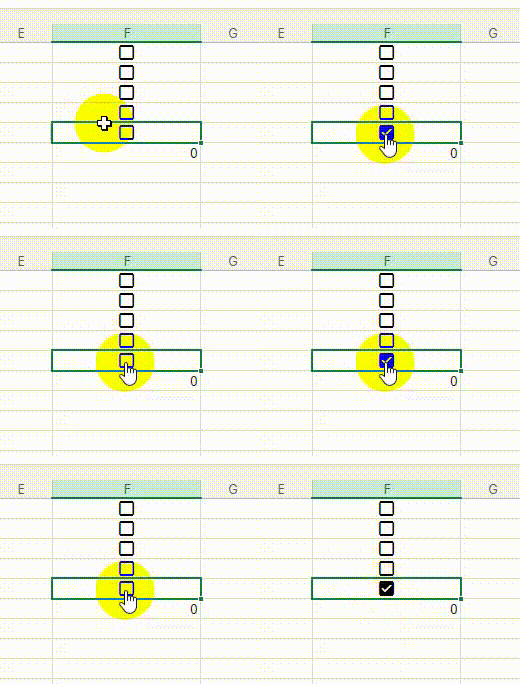
- Feb 09, 2025
I've noticed a problem, too. An easy workaround is to type 'false' or 'true' rather than checking the box. It's a good idea to send feedback about this so Microsoft hears about it.


Kidd_Ip
Feb 08, 2025MVP
Try below workaround:
- Double-click the formula cell: Sometimes, double-clicking the cell with the formula can force it to update.
- Use volatile functions: Adding a volatile function like OFFSET() might help. For example, you could try modifying your formula to:
=COUNTIF(OFFSET(F1:F5, 0, 0), TRUE)
- Refresh the page: Reloading the page might temporarily fix the issue, although it's not a permanent solution.
- Use Excel Desktop: If possible, using the desktop version of Excel can avoid this issue altogether.