Forum Discussion

Excel Macros Spreadsheets Not Loading
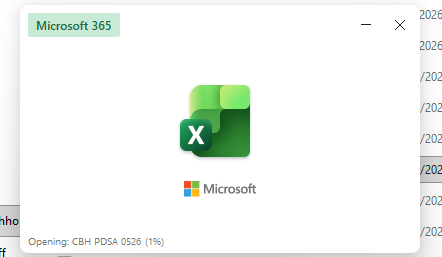

Based on what you've described, I don't think the problem is with your VBA code or the macro workbooks themselves. The fact that Excel also freezes when using Bold, Italic, Underline, or other formatting commands in regular (non-macro) workbooks points to a broader Excel or Windows environment issue.
Since you've already spent time with Microsoft Support and even reinstalled Microsoft 365, I'd focus on isolating what Excel is interacting with rather than the workbooks themselves.
Here are the first things I'd recommend:
- Start Excel in Safe Mode (Win + R, then type excel /safe) and see if both your macro and non-macro workbooks behave normally. If they do, the issue is likely caused by an add-in.
- Disable all COM and Excel add-ins (File → Options → Add-ins) and test again.
- Copy one of the affected workbooks to a local folder (such as your Desktop) if it's currently stored on OneDrive, SharePoint, or a network drive, then try opening it from there.
- Check whether the workbook is blocked by right-clicking the file, selecting Properties, and looking for an Unblock option.
- Try a new Windows user profile. If Excel works correctly there, the problem is likely related to your Windows profile or Excel settings rather than Office itself.
- Check your default printer. It may sound unrelated, but Excel relies on the printer driver for many formatting operations. A corrupted or incompatible printer driver can cause hangs when applying formatting. Temporarily set Microsoft Print to PDF as the default printer and test again.
Looking at your screenshots, Excel appears to hang at 1% while opening the macro workbook, and it also becomes Not Responding when using basic formatting commands. That combination strongly suggests the issue is environmental rather than something specific to the workbooks you've been using successfully for years.
A couple of questions that may help narrow it down:
- Are the workbooks stored locally, on OneDrive, or on a network share?
- Did this problem start after a recent Windows or Microsoft 365 update?
- Does the same behavior occur in a brand-new blank workbook when you simply type some text and click Bold?
My answers are voluntary and without guarantee!
Hope this will help you.
Was the answer useful? Mark as best response and like it!
This will help all forum participants.