Forum Discussion

Royalton
Jun 11, 2024Copper Contributor
Excel Macro Security
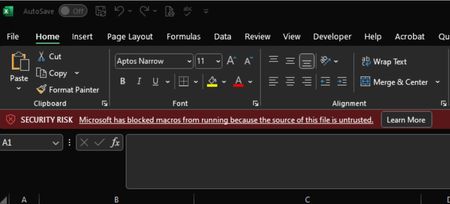
Hello All, I'm having an issue with Excel Macro security. We have 5 computers at the office on the same network and shared through a OneDrive shared folder. On my computer the Marco’s work no probl...

JKPieterse
Jun 11, 2024Silver Contributor
Royalton How *exactly* are you opening the file on the problem computer?

Royalton
Jun 11, 2024Copper Contributor
Btw, i'm the Admin in my organization, that's why macro's run on my PC but not others, this could be the problom.
If this is the issue how do i change the policy in to allow macros?
If this is the issue how do i change the policy in to allow macros?
- JKPieterseJun 11, 2024Silver Contributor
Royalton I'm by no means a Microsoft 365 Admin, but perhaps this thread gives you some pointers? https://www.reddit.com/r/excel/comments/112ahmw/solution_enabling_macros_on_workbooks_from/
- RoyaltonJun 12, 2024Copper Contributor
Thanks for the reply.
I solved the problem, the issue is when an Excel file with macros/VBA are located in OneDrive, the owner of the "OneDrive folder" and the owner of the "Excel file with Marcos/VBA" MUST BE THE SAME.