Forum Discussion

Excel Labs: error Saving Python code in cell
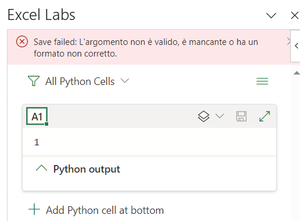

I'm having the same trouble that uccio991994 is facing. I wrote the simple code below and the same error is showing up.
x=10
y=20
x+y
The interesting part is that with the office insider program, I'm able to run the 'PY' function and get the 'x+y' value. My operating system is up-to-date, and the office suite has been recently updated.
I suppose that having the latest python version is not always an option since library compatibility may be a problem in some cases.
With all the above in mind, do you have any other suggestions that may be causing the issue?

My guess that could be due to non-English version of Excel. There is nothing language dependant in the sample of the code, but Python editor is not localized. At least I can't reproduce on English version.
In any case that's better to communicate Excel team directly on GitHub Issues · microsoft/python-in-excel (github.com)