Forum Discussion

Excel interface broken
 Jun 18, 2018
Hi,
Please see the below GIF to figure out how to change the view.

Hi Haytham,
Thank you for surveying this issues.
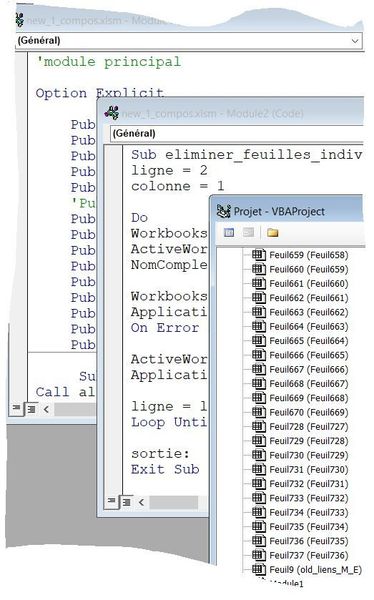
Surprise: there is a new configuration: I've got 4 windows in "cascade", but I didn't click anything since my last post ! Here is the screen capture:
Thank you for your help.
Regards
Pierre
Hi,
Please see the below GIF to figure out how to change the view.
- Pierre RUELJun 18, 2018Copper Contributor
Hi Haytham,
Thank you very much.
It was very difficult to follow your GIF because the appearance of my copy of Excel was very different of the one of yours. In the meantime I searched everywhere and went to Tools, Options and there I found "Ancrage" (achorage, anchor ?). I puit a "V" in all six squares and my RExcel recovered its default view !
Thank you for your help.
Best regards
Pierre