Forum Discussion

Excel imprime celdas en blanco
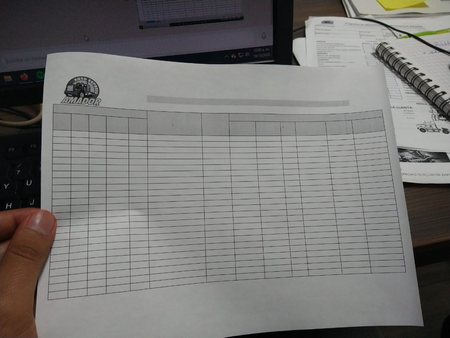

Tengo la impresora de red seleccionada en mi ordenador, así como en los demás de la oficina.
No había tenido problemas, la impresora tiene trabajando desde hace meses pero hoy empezó a imprimir el formato pero vacias las celdas.
Solamente convirtiendo el excel en pdf imprime bien
El sistema operativo es lo siguiente.

Sospecho que usa impresoras diferentes y que se debe a la configuración de impresión o la preparación de la impresión.
Algunas ideas:
- Cambie un poco el ancho de la columna o los márgenes (solo unos pocos píxeles para ver si tiene algún efecto).
- Juega con la configuración de impresión. A veces hay algo como "Reducir para ajustar la página" u otras formas de escalado
- Verifique la actualización del controlador de la impresora
- Buscar en Google el problema, especificando el tipo de impresora exacto.
Un último intento luego en el formato de celda.
- Seleccionar área, botón derecho del mouse, formatear celdas, protección, clic oculto.
Aqui esta alguna informacion adicional:
Las páginas en blanco se imprimen inesperadamente en Excel
https://docs.microsoft.com/es-es/office/troubleshoot/excel/blank-pages-unexpectedly-printed
Thank you for your understanding and patience
Nikolino
I know I don't know anything (Socrates)
- gerardosaceOct 19, 2020Copper Contributor
Ahora ya empezó con los archivos PDF tambien
- NikolinoDEOct 19, 2020Platinum Contributor
Most of the time, the printer turns out to be the cause of the problem:
Open the hidden icons in the lower right corner of the Windows bar. There select "Stop" and "Restart". If the file still does not print, stop printing and restart from Word.
Also, check the printer's cables. Reconnect the power cable and the connection cable to the PC.
Another possible cause is out of date driver software.
Update device drivers
In the search box on the taskbar, type “device manager”, then select Device Manager.Select a category to view device names, then right-click (or press and hold) the device you want to update.
Update the driver software and try again.
Since virus scanners can also be part of the problem, you should temporarily deactivate them and start a new print job.
If none of the steps worked, your last resort is to repair Excel
Right-click the Start button Windows Start Button in Windows 10 (lower left)and choose Apps and Features from the pop-up menu.
Select the Microsoft Office product that you want to repair and select Change.
Here are some instructionsIf that doesn't help then reinstall Excel (Office).
Please understand that it is difficult to reconstruct the problem with such a complex problem where there is no access (not even remote access).
Please try these steps, they may solve the problem.
If not, then I can recommend to order a trusted service technician for you or to grant remote access.Thank you for your understanding and patience
Nikolino
I know I don't know anything (Socrates)
- NikolinoDEOct 20, 2020Platinum Contributor
Traducido con programa de traducción de software:
Espero que haya encontrado una solución a su problema.
Si no es así, estamos aquí para intentar ayudarlo.
Si el problema se ha resuelto, me alegro por ti.
Te deseo un buen día / noche con mucha salud, alegría y amor.
Gracias por su paciencia y su tiempo.
Nikolino
Yo se que no se nada (Sócrates)
* Por favor, marque y vote cualquier respuesta si ayuda, ya que será beneficioso para más miembros de la comunidad que lean aquí.--------------------------------------
English:
I hope that you have found a solution to your problem. If not, we are here to try and assist you.
If the problem has been solved, I'm happy for you.Wish you a nice day / night with lots of health, joy and love.
Thank you for your patience and time.
Nikolino
I know I don't know anything (Socrates)
* Kindly Mark and Vote any reply if it helps please, as it will be beneficial to more Community members reading here.