Forum Discussion

Excel formulas not calculating
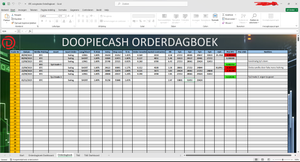
- Nov 05, 2023
to make it easier for myself, since you guys have more knowledge, which tutorial is the best for this situation to learn the specifics of Excel to create such a trading journal?
Rather than a tutorial--Exceljet.net is a good resource (and it does have some tutorials) for free references on various formulas and functions. What you're talking about for tracking options trades is mostly very basic, unless you get to the point of high level summaries of, say, a year's trades. But even that, if you design well, can be pretty basic. There are many YouTube video tutorials on basic and advanced Excel techniques. And of course there are basic books. Any bookstore, or Amazon, can be a source of books.
I'd begin with whatever you do on paper, just automating some aspects of it...


Thanks, I was able to download the workbook (I'll delete it as soon as possible).
The worksheet is protected by a password. Could you provide that password? If you'd rather not post it in public, you can send it to me in a private message (click on my user picture).

- HansVogelaarNov 03, 2023MVP
This is what I see in the Review tab of the ribbon:
When I click Unprotect Sheet:
I don't know the password, obviously.
- Johnny490Nov 04, 2023Copper ContributorI took a look. I didn't personally create this Excel file. The admin doesn't know how to resolve this either, that's the reason i came to this forum.. He doesn't share the password. So, this means it's not possible. Are there any other options for me to resolve it on my own?
- HansVogelaarNov 04, 2023MVP
See the attached workbook; I removed the protection. Be careful - it is now easy to mess things up.
You should be able to change values in for example column D or column I, and see column M change.