Forum Discussion

Excel filter and hide other columns
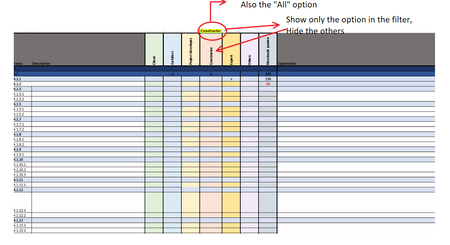
- Jun 15, 2022
I have attached a small demo workbook. You'll have to modify the code for your situation.
To view the code, right-click the sheet tab and select 'View Code'.
You'll need to allow macros when you open the workbook.


@BeyK40
Hopefully @Hans_Vogelaar doesn't mind me jumping in here and you should mark his response as 'Best Answer' as the hard yards are already done....
In your workbook, you have saved the code as modules, whereas a worksheet change routine needs to be in the MS Excel Objects for the specific worksheet. The next thing is that you need a data validation list for the filter items where the code is monitoring for the change. See attached the updated version:

Thanks!
One more question.
The cells with te partners refer to another sheet (main sheet). With data valadition there is no problem, still get a list to filter. But the code doesnt work.. Is there a way to fix this?
(the code does work if I just type in the partner, but I it has to refer to the main sheet, because if a partner changes, I wanted it to automatically change in all the sheets.)
- HansVogelaarJun 16, 2022MVP
An option would be to use the Worksheet_Calculate event, although the overhead is much larger.
See the attached version.
- BeyK40Jun 17, 2022Brass ContributorThanks a lot for the help!
It sadly didn't work to refer te cell to the mainsheet.