Forum Discussion

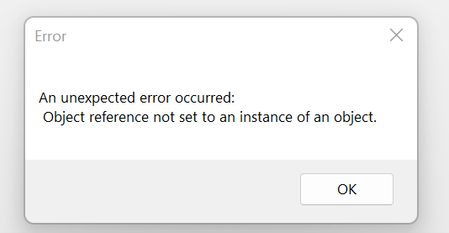
Excel Error: object reference not set to an instance of an object
- Oct 23, 2023
The problem could be cause by a file that is automatically loaded when you start Excel, such as the personal macro workbook PERSONAL.XLSB or an add-in. Follow the steps described in Excel not responding, hangs, freezes or stops working to check which one of these it is.

The problem could be cause by a file that is automatically loaded when you start Excel, such as the personal macro workbook PERSONAL.XLSB or an add-in. Follow the steps described in Excel not responding, hangs, freezes or stops working to check which one of these it is.

The tool pointed me to a COM add-in as the source of the problem. I'm not sure the origin of these applications but I inactivated Report Designer and that seems to have worked. Thanks for your help!
 Pamela_S1Oct 29, 2023Copper ContributorAre you using Sage Accounting 50?
I updated Excel (Microsoft Home and Business 2021) yesterday (Microsoft® Excel® 2021 MSO (Version 2310 Build 16.0.16924.20054) 32-bit and started getting the same error. Before trying the MS Assistant, inactivated Report Designer Add-in and the error message stopped appearing. The full file name of the Add-in is C:\Program Files (x86)\Common Files\BIExcelFunctions1.1\32bit\Sage.BI.ExcelFunctions1.1.xll, dated 6/14/13, so that probably means the update is not compatible with my accounting program Sage 50 Accounting (US Version). If you expand the location column, you should be able to see full file name. I was able to export a report to Excel after disabling the Add-in. I will send a report to Sage for them to research. benb_atlantisNov 01, 2023Copper Contributor
Pamela_S1 I did not expect to find a 2 day old post about Sage 50, I didn't realize anyone else still used it, especially with the Intelligence Reporting module. The Carnegie5930 fix worked for me! In Excel, File -> Account -> Update License. I signed into Office365 then clicked Update Options -> Update Now. It ran through the update, had to close a few Office apps, and then came back working without issue. What an annoying bug!
 clemempNov 01, 2023Copper ContributorHow about a resolution for folks with a standalone Excel?
- blairwhitworth320Oct 30, 2023Copper ContributorYes; we use Sage 100. Thanks for clarifying the source of the Add-In. What's surprising is that I'm the only one in our organization experiencing this so far.
- radartcOct 30, 2023Copper ContributorGood observation. I found your comment after I ran into the same error. We use Sage 100.