Forum Discussion

Excel Error "No more new fonts may be applied. Please close some other documents and try again"
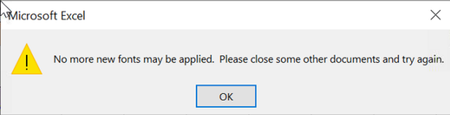

Methpong I have to say I am absolutely sick of this problem as well.
I have found that when I have 3 Excel documents open at any one time it happens.
Unfortunately because of my workload I always have at least 2 open & this is killing me!!
In the "old days" you used to be able to have multiple documents open without hassle, but now ..??
I am using an Apple MacBook Pro, which I recently updated it because I thought the problem might be because of insufficient RAM or storage. Guess what? It isn't !!
The only thing I can do is to Force Quit on Excel & start again.
All Office & Apple system updates are up to date.
Is it possible that Microsoft could actually listen to their users, because I'm just about ready to throw them out & try another option...
Because so many people have had this problem over the past few years, I would think Microsoft would/should do something about it !!

Hi, FloJo21
Till now the problem has not been solved as standard from Microsoft. Fortunately, all my problematic files There wasn't much data, so I fixed it by copying the data to a new file on every page and set formatting it again. after trial Haven't found the same problem yet (but it's a bad approach).
- FloJo21Apr 09, 2023Copper ContributorThanks Methpong, I appreciate your quick response 🙂
Unfortunately it happens with most of my files, so recreating a few doesn't help (although I had done that with the files I use most often).
I just wish Microsoft would look into it as a lot of people seem to have been having this problem & it isn't going away..