Forum Discussion

Excel crashing
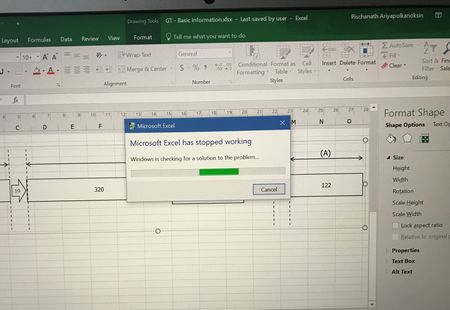

Hello,
I don't know, if the following will help or solve the problem, but maybe you could give it a try.
I can see on your picture, that you are in Page Layout for this file. So, please open one of your files at work and go back to the Normal view (View / Workbook views). Save the file and then open the file on your personal computer. Does the problem persist?
If the problem is gone, then, switch to the Page Layout (on your personal computer) again and try to change the shape size. Does it crash again? If yes, then re-open the file and select another printer on from your Excel, e.g. the MS XPS Document Writer. If you then try to resize the shape again and it does not crash, then I guess that the problem is printer driver related on your personal computer.
Best,
Mourad