Forum Discussion

Excel Clipboard Format
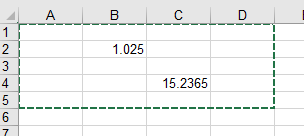

1. The use of “selective paste” function: copy the content, right-click the target cell, select “selective paste”.
Select paste options (“value”, “format”, “formula”, etc.) as needed.
2. Check the clipboard settings:
Open Excel, click File > Options > Advanced.
In the Clipboard section, make sure the Show Paste Options Button is enabled.
3. Use the Formatting Brush: Select the source cell and click “Start” > “Formatting Brush”.
Click on the target cell to apply the formatting.
4. Clear the target cell formatting: Select the target cell and click Start > Clear > Clear Format.
Repaste the contents.
5. Check cell formatting: Select the target cell, right-click and select “Set Cell Format”.
Make sure the formatting is consistent with the source cell.
6. Use VBA Scripts: If you need more complex formatting to copy, you can use VBA scripts:
vba
Sub CopyFormat()
Selection.PasteSpecial Paste:=xlPasteFormats
End Sub
Add this script to Excel's VBA editor and run it to copy the formatting.
7. Update Excel: Open Excel, click File > Accounts > Update Options > Update Now “.
Make sure Excel is updated to the latest version.
8. Contact Microsoft: If the issue remains unresolved, submit the issue through Microsoft Support.
Provide detailed error messages and screenshots to quickly diagnose the issue.