Forum Discussion

Excel Bug with global relative references
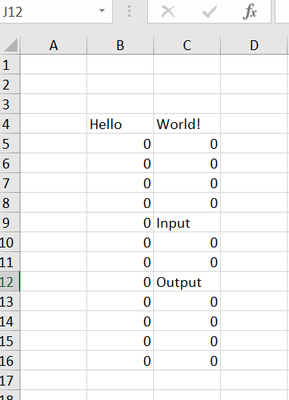

No. There is no VBA event code "onCalculate". Just plain F9, totally random errors. It is intolerable, frankly. My feeling is that the VBA trigger example is just a reliable way to highlight an underlying bug. I don't know what my spreadsheets do to provoke this bug, but it does not involve VBA macros (eg Application.CalculateFull, which I use in my demonstration).
The calculation tree does involve VBA *functions* (UDF).

What do those UDF's look like? I could not reproduce a UDF to cause this bug.
However, even if there is no OnCalculate code, *any* VBA code that triggers a calculation (such as changing a cell value) will cause this bug.
- ecovonreinOct 03, 2022Iron Contributor
I hear you. And there is none such. We have many UDFs but they are perfectly harmless PUBLIC FUNCTION(...) AS VARIANT. I agree with you and am similarly unable to reproduce this bug other than by resorting to Application.CalculateFull. But I avoided this stuff and it is no use: the error is now with us in the regular calculation tree. We have no macros (that change cells). It is extremely scary. (I have one enterprise value hopping from 3 mio to 5 mio at random.)
What is still more annoying that there appears to be no route to get Microsoft to acknowledge the bug and track progress.
- JKPieterseOct 03, 2022Silver Contributor
Sending a frown from Help, feedback does find its way to MSFT. Include an email address so they can reach out to you.
- ecovonreinOct 03, 2022Iron Contributor"Sending a frown from Help..." Thanks for the pointer. Done. Let's see what happens.
- JKPieterseOct 03, 2022Silver ContributorCan you produce a workbook that reproduces this error you are able to share?
- ecovonreinOct 03, 2022Iron ContributorAttached to the original post. But that relies on Application.CalculateFull to trigger the problem. Besides that, even if I attached my 10MB valuation model, I could not reproduce the problem with any predictability.