Forum Discussion

Excel absolute cell

Could you attach a small sample workbook demonstrating the problem (without sensitive data), or if that is not possible, make it available through OneDrive, Google Drive, Dropbox or similar? Alternatively, you can attach it to a private message to me. Thanks in advance.

- HansVogelaarMay 23, 2023MVP
See the attached workbook.
You can view the definition of the defined names in Formulas > Name Manager.
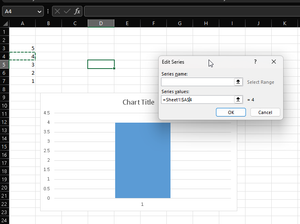
You can view the definition of the series by clicking on the chart, clicking 'Select Data' on the Chart Design tab of the ribbon, then selecting a series and clicking Edit.
- GSM101May 23, 2023Copper ContributorI managed to enter the formula but, it gives me 0 in return on the graph. I mean when insert a new row and put a new number instead of 66 for example it gives me 0..
- HansVogelaarMay 23, 2023MVP
I inserted a new row in row 3 on the QQQ Hold In sheet, shifting the value 5 down, then entered 80 in A3:
The chart on the Main sheet then looked like this:
Next, I inserted a new row in row 3 on the WWW Hold In sheet, shifting the value 28 down, then entered 5 in A3.
The chart now looked like this:
So it works as intended...