Forum Discussion

Excel 2016 power Query how to consolidate data into one common row
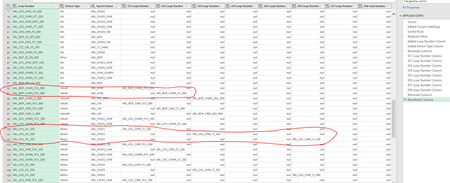
- May 21, 2020
You may reference on the query and
1) Merge all NNN Loop Number columns into one column, let say Merged
2) Group By Loop Number with aggregating Merged column on Sum
3) Change in formula bar List.Sum([Merged]) on Text.Combine([Merged],",")
Reference on initial query once more and merge with previous one

I followed up to step 3 but some of the rows have more delimiters that the 8 columns merged. When I split the merged column I end up with 24 columns instead of the 8 original columns.

If you mean that delimiter sign is within texts, you may use any other one, e.g. "<SEP>" both on merging the columns and Text.Combine().
- rechoMay 21, 2020Copper Contributor
No issue with delimiter.. what's happening is if a common row has 3 loop number columns filled, then that is 8x3 = 24 columns are created (appended) without order, and not merged for the original 8 columns :
- SergeiBaklanMay 21, 2020Diamond Contributor