Forum Discussion

Excel - problem

The easiest way to check which version of Excel (32.64 Bit) is?Nauthstar

- GregJasApr 27, 2020Copper Contributor
Thank you very much, however, I have 32Bit. Will I be able to install 64Bit versions on my legal license (key)?Nauthstar
Regards.
 NauthstarApr 27, 2020Iron Contributor
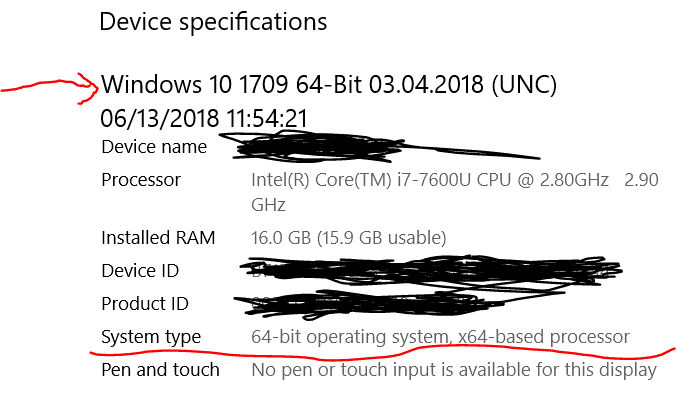
Check that you have Windows 64 bit. Usually found using START --> SETTINGS --> SYSTEM --> ABOUT. It should give you the screen attached - See picture.
If that is 64 Bit then you should be able to go in to Excel, make sure all other Microsoft products are closed, then from Excel you should be able to select FILE --> ABOUT --> MANAGE ACCOUNT.
It should give you the option to INSTALL OFFICE. Choose this option. If your licence does not permit this (because it's a standalone version?) then you won't be able to go any further. However, it should permit it as you can't run both versions on the same pc/laptop. Therefore, you should be able to load (or reload) MS Office 32 bit or replace it with the 64 bit version.
Choose 64 bit and it will automatically download and install the 64 bit version (or give instructions for replacing the 32 bit version by removing that version first) Once complete, all your existing files will open and you won't have any more memory errors. PS Make sure you take a copy of your Excel files onto OneDrive or some other place on your hard drive.