Forum Discussion

AKSOBEKSO
Jun 25, 2025Copper Contributor
Excel - Partial formatting of cell contents, such as text, works for some cells and not for others
I have a column that has the same exact formatting applied to its rows. Within a single cell, I want to highlight some contents like important words. Mysteriously, I'm able to do this on som...
- Jun 26, 2025
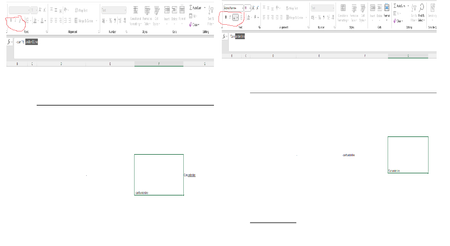
as JKPieterse noted, the difference in those 2 cells is that the one on the left that won't allow formatting in the cell is recognized by Excel as a formula because it starts with a "-". Any cell starting with "=", "+", "-" or "@" will be assumed to be and treated as a formula. If you don't want it to be a formula then start with an apostrophe (') which will not show but will tell excel to treat this cell as text. NOTE even if you set the cell to TEXT and then type those characters into the cell excel still think you are entering a formula even though after you hit enter it will be treated as text.


JKPieterse
Jun 26, 2025Silver Contributor
What happens if you type a single quote as the first character?

AKSOBEKSO
Jun 30, 2025Copper Contributor
Thank you! Indeed that was the issue. Entering single quote fixes this