Forum Discussion

Excel - Partial formatting of cell contents, such as text, works for some cells and not for others
- Jun 26, 2025
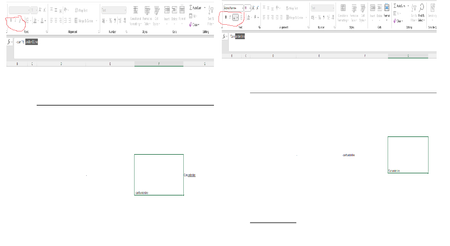
as JKPieterse noted, the difference in those 2 cells is that the one on the left that won't allow formatting in the cell is recognized by Excel as a formula because it starts with a "-". Any cell starting with "=", "+", "-" or "@" will be assumed to be and treated as a formula. If you don't want it to be a formula then start with an apostrophe (') which will not show but will tell excel to treat this cell as text. NOTE even if you set the cell to TEXT and then type those characters into the cell excel still think you are entering a formula even though after you hit enter it will be treated as text.

as JKPieterse noted, the difference in those 2 cells is that the one on the left that won't allow formatting in the cell is recognized by Excel as a formula because it starts with a "-". Any cell starting with "=", "+", "-" or "@" will be assumed to be and treated as a formula. If you don't want it to be a formula then start with an apostrophe (') which will not show but will tell excel to treat this cell as text. NOTE even if you set the cell to TEXT and then type those characters into the cell excel still think you are entering a formula even though after you hit enter it will be treated as text.