Forum Discussion

jacparks
Jun 20, 2021Copper Contributor
Excel - Fill in values from column and row based on specific criteria to make list
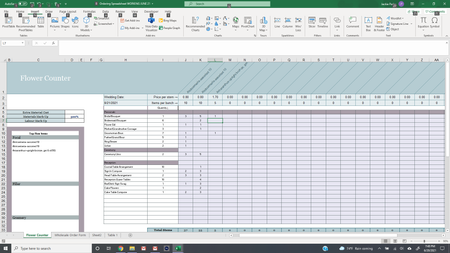
Hi! I am a florist and I make a spreadsheet with the item that I am building (Ex. Bouquet), I specify the flowers I am using at the top then I fill to the right with the number of stems I want i...

Yea_So
Jun 22, 2021Bronze Contributor
Hi jacparks,
I added some named ranges:
Then used this formula in the card from this range using:
=FILTER(Ingredients,NOT(ISBLANK(Ingredients)))
In
and put a formula:
=IF(OR($B5="Focal",$B5="Filler",$B5="Greenery",$B5="Line",$B5="Hardgoods / Rentals",ISBLANK(B5)),"","Insert IF STATEMENT HERE")
Comments:
In the quantity column is not a good practice to have duplicate values. for example:
Alstroemeria-assorted 10
Alstroemeria-assorted 10
Amaranthus-upright bronze, grn & rd BG
There are two Alstroemeria entries (vlookup or index match cannot be used)
If you have any questions, please do not hesitate to reach out.
Cheers

jacparks
Jun 22, 2021Copper Contributor
Thanks so much! I won’t normally have the same two flowers I was just making sure they would auto fill. I really appreciate your help!