Forum Discussion

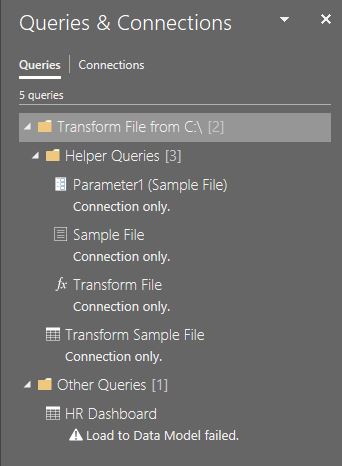
Error loading to Data Model
Hi Team,
I am finally making my way into Power Query after a short course on it as I am constantly creating all kinds of excel reports and dashboards. I have big monthly payroll files + other staff related excel reports which I must convert into a dashboard.
I am using Office 365 and as I tried to load my query into a datamodel(as a connection), I got the attached error and I am clueless where to start looking for a solution to this.
My monthly files are located in a folder on my Onedrive with the following location/path:
C:\Users\myname\OneDrive - Vivo Global\Reports 2020\Power Query Dashboard\
Is it because this folder is on Onedrive?
Thanks.
NoviceKB
3 Replies
- SergeiBaklanDiamond Contributor
From Folder connector is for local folders, if this case you need to use From SharePoint Folder connector.
 NoviceKBBrass Contributor
SergeiBaklan thanks for the feedback.
I just tried the sharepoint folder but getting this error below:
Details: "Access to the resource is forbidden."
Any idea how I can overcome that?
- NoviceKBBrass Contributor
SergeiBaklan apologies but problem has been resolved after visiting the data source settings (permissions).
THanks.