Forum Discussion

editor power query
- Sep 09, 2022
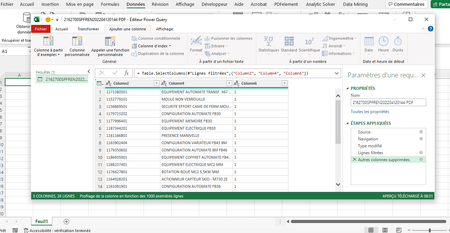
safwen Take the screenshot in your message (see picture) as a starting point.
Klick on the button of the Kind column. Select only "Table" and press OK.
Then in the Data column, press the button with the arrows.
Should look something like this:
Press "Load more" if it show. Now uncheck the box "Use original......" and OK.
That should give you one large table of all the tables combined.

safwen Take the screenshot in your message (see picture) as a starting point.
Klick on the button of the Kind column. Select only "Table" and press OK.
Then in the Data column, press the button with the arrows.
Should look something like this:
Press "Load more" if it show. Now uncheck the box "Use original......" and OK.
That should give you one large table of all the tables combined.

sir thanks a lot it's workingRiny_van_Eekelen