Forum Discussion

Duplicating unique data in 12 rows of 3 columns
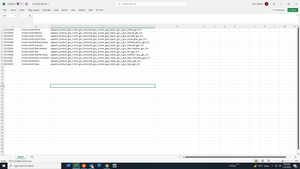

trinitystores Attached a demonstration of a Power Query solution.
- Connect to the 12 by 3 range that needs to be repeated
- Add and Index column
- Add a custom column with the following "formula" = {1 .. 10}
- Expand the custom column
- Sort, first by custom then by index
- Remove columns custom and index
- Load to a table in Excel
This will have copied the initial range 10 times. Change the 10 (above in red) to 1800 in your real life scenario.
Now you can copy the table produced with PQ and paste is as values wherever you need it.
 trinitystoresFeb 01, 2022Copper Contributor
Riny_van_Eekelen Riny, thank you very much for your prompt reply.
The excel spreadsheet example you attached looks perfect, exactly what I am trying to accomplish.
But I think you are saying that you attached a "demonstration of a Power Query solution." I do not see this attachment.
And I am not sure what your lines describing the process mean. I do not know what "CONNECT" to the 12 x 3 range means. I do not know what Add and "INDEX" column means, etc.
Is there an attachment "demonstration of a Power Query solution" that I am not finding? Or is there a video or other tutorial on the Internet that you can point me to?
Thanks again for your help. I am excited to see your sample excel spreadsheet example.
Peace,
John
- Riny_van_EekelenFeb 01, 2022Platinum Contributor
trinitystores Forgive me! I sometimes forget that PQ is perhaps the greatest secret of Excel. After 8-9 years it's still unknown to the majority of Excel users. The link below is a good starting point to start learning about PQ. It will enable you to find the steps that I described in my previous post.
- trinitystoresFeb 01, 2022Copper ContributorHi again Riny:
Thank you for the link. I am sure you have better things to do then hand-hold me but IO have another question (I ain't that bright).
I read many pages of the Power Query Introduction and I reckon after downloading Power Query I could learn much, likely much more than I would ever need or use.
And I get the idea that Get & Transform/Power Query is an ETL tool. I just do not know how to relatively quickly find the formula/instructions I need for this one exercise.
I also tried scanning thru the 22 Power Query Series Contents points to no avail.
Can you point me to the page/section that I seek? And/or is there proper search words I should Google that best describes the process I seek. I do not even know what to type to query the Internet. Thanks again.