Forum Discussion

SRolstin
May 31, 2023Copper Contributor
Duplicate month
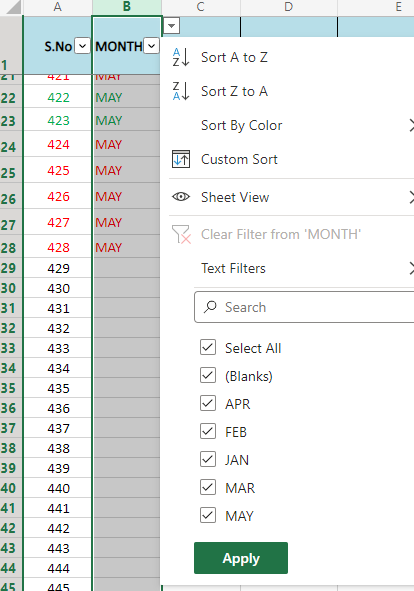
My drop down only shows 1 month, but in the cell selection there are 2 'MAY', when running my pivot table it pulls in both and I have no idea how to have it only show 1 option for May or where the 2 ...

JKPieterse
May 31, 2023Silver Contributor
Check your source data, perhaps there is one "month" May which has e.g. a trailing space character.

SRolstin
May 31, 2023Copper Contributor
JKPieterse Thank you, I did check that and I even did a find/replace
- SRolstinMay 31, 2023Copper ContributorHi Jan, I did another find/replace and it works correctly now 🙂 thank you for your quick help 🙂
- JKPieterseMay 31, 2023Silver ContributorNext time, click that filter drop-down in your source data and filter for the one that appears duplicated in your pivot table (or perhaps has various different spellings). Then select all cells in that column which are now visible and edit the first one (F2). Make sure its spelling is correct and then hit control+Enter to update all entries with that new value.