Forum Discussion

vlookup multiple values in one cell separated by comma
 Jan 03, 2021
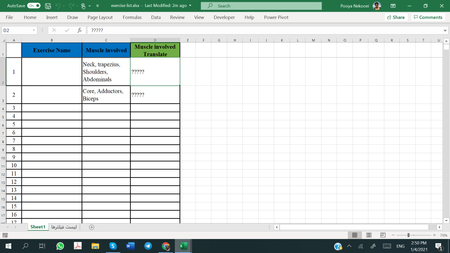
One way I believe you can do that, assuming you have the textjoin function (Ctrl+Shift+Enter after keying into the formula bar):
=TEXTJOIN(", ",TRUE,IF(ISNUMBER(SEARCH('لیست فیلترها'!$B$2:$B$19,C2)),'لیست فیلترها'!$C$2:$C$19,""))
But, I would think the new filter function would also work, if you have it. I personally don't, so this is not tested, but I would try:
=TEXTJOIN(", ",TRUE,FILTER('لیست فیلترها'!$C$2:$C$19,ISNUMBER(SEARCH('لیست فیلترها'!$B$2:$B$19,C2))))There would be an issue in that you wouldn't get an error if there was an item in C2 that did not appear on the translation table (it would just get left out). So, you might consider adding a check column to confirm the number of items in the original and translated list are the same:
=LEN(C2)-LEN(SUBSTITUTE(C2,",",""))=LEN(D2)-LEN(SUBSTITUTE(D2,",",""))

=TEXTJOIN(", ",TRUE,IF(('لیست فیلترها'!$B$2:$B$50<>"")*ISNUMBER(SEARCH('لیست فیلترها'!$B$2:$B$50,C2)),'لیست فیلترها'!$C$2:$C$50,""))