Forum Discussion

Kinaberger
May 10, 2023Copper Contributor
Datediff
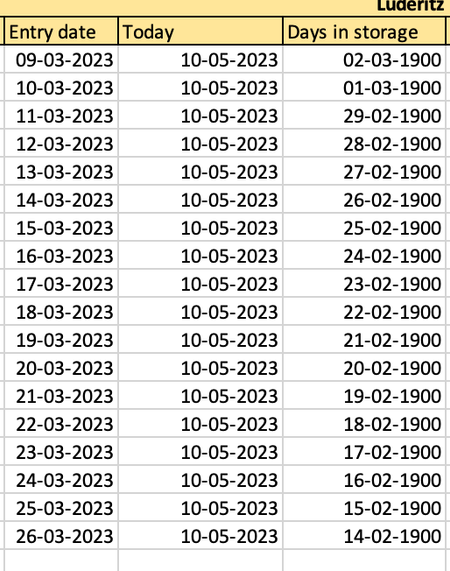
Dear reader, I am using the dutch version of excel and therefore the function DATUMVERSCHIL which means datediff. Here I manage to depict the difference, however I only want the cell to depict t...

SergeiBaklan
May 10, 2023Diamond Contributor
You may simply use
=TODAY() - <Start date>
If no format was applied to Days in storage, in general both above and DATEDIF() by default shall return same result in General format, i.e. number of days.
If Date format is applied for some reason, it gives the same value but Date format. Dates in Excel are actually sequential numbers starting from 1, which is belong to 01 Jan 1900 (on Windows).